

How editing works for customers
Every order confirmation email Shopify sends contains a link to the order status page. When a customer opens that link, they see the edit options your rules allow — nothing more, nothing less. They make their change, confirm it, and the edit either applies immediately or enters your approval queue, depending on how you’ve configured that edit type. If the change affects the order total, payment settles automatically: the customer is charged for any increase or refunded for any decrease, all on their original payment method. A branded confirmation email goes out once the edit is complete.Available edit types
AppFox supports five edit types, each independently configured. Enable the ones that make sense for your store and set the rules for each.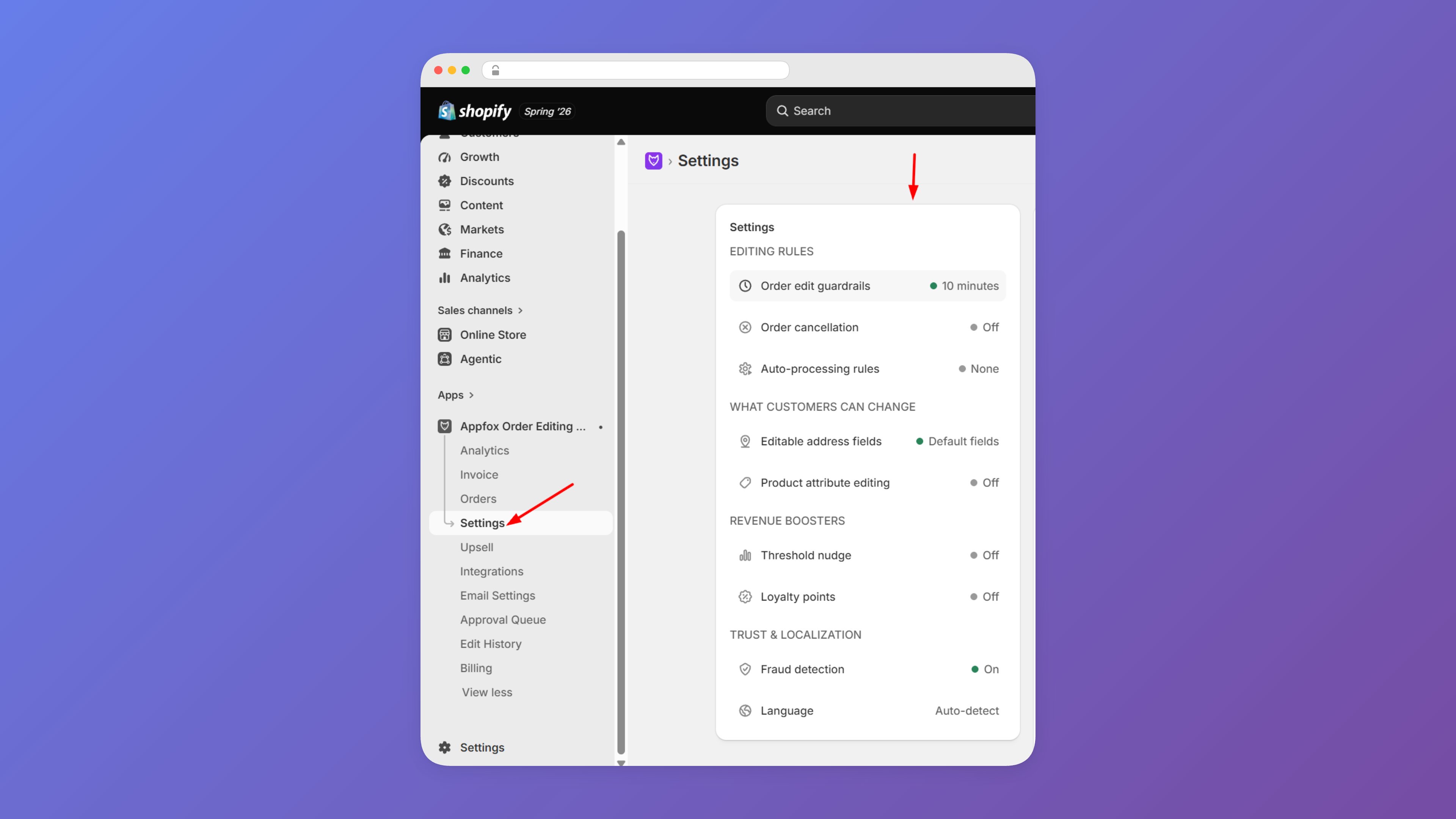
Address Change
Customer updates their shipping address with autocomplete and validation to catch typos before the carrier does.
Variant Swap
Customer swaps size or color on an existing line item — same product, different variant.
Quantity Change
Customer increases or decreases the quantity of a line item; price difference settles automatically.
Add / Remove Items
Customer adds a forgotten product or removes an item from the order; payment difference settles automatically.
Order Cancellation
Customer cancels the order within your edit window — auto-applied or routed to your approval queue.
Merchant controls
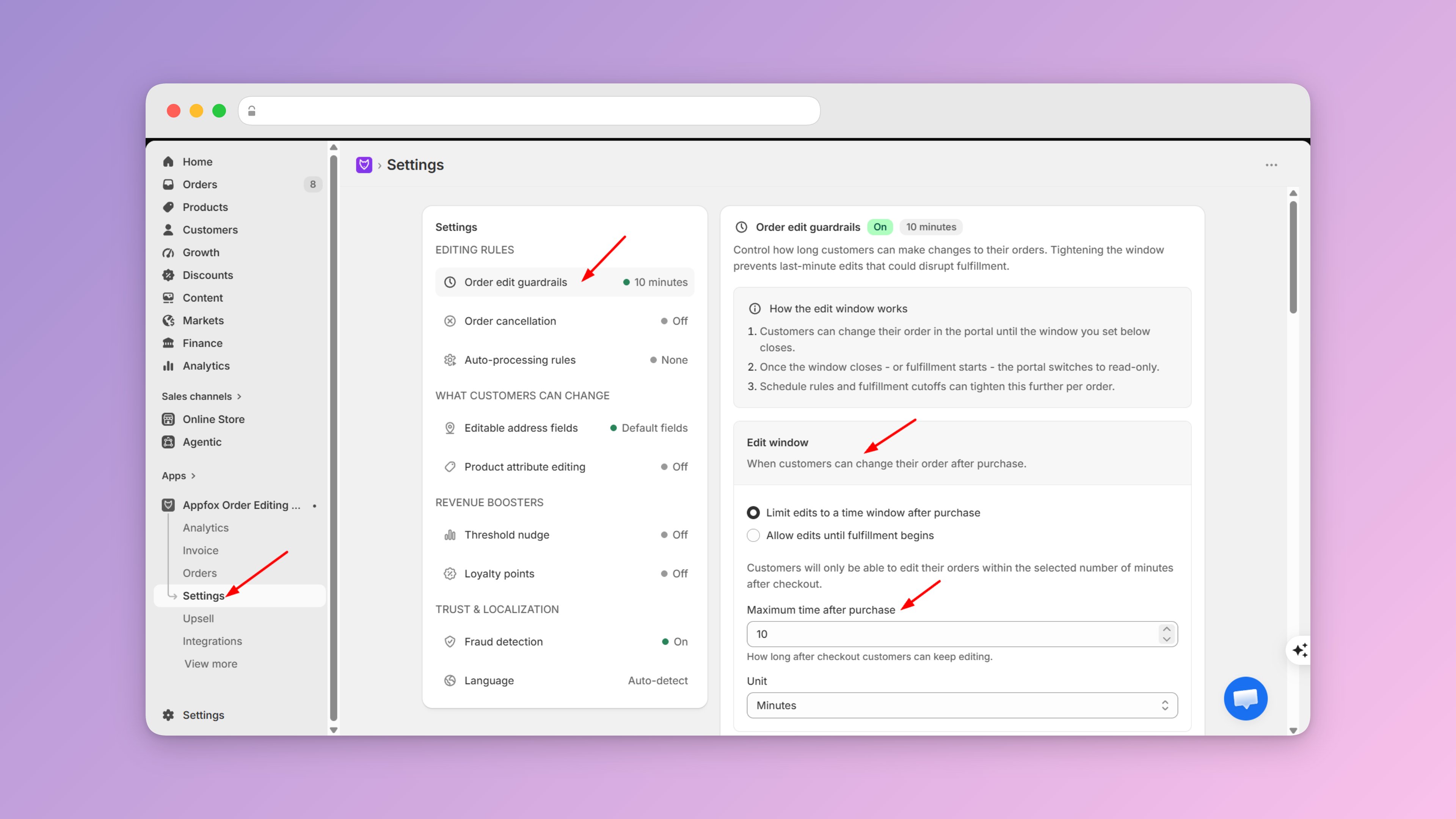
You stay in control of every aspect of the editing experience:- Edit windows — Set a time limit (e.g. 24h, 48h) after order placement. Once the window expires, editing is simply not available.
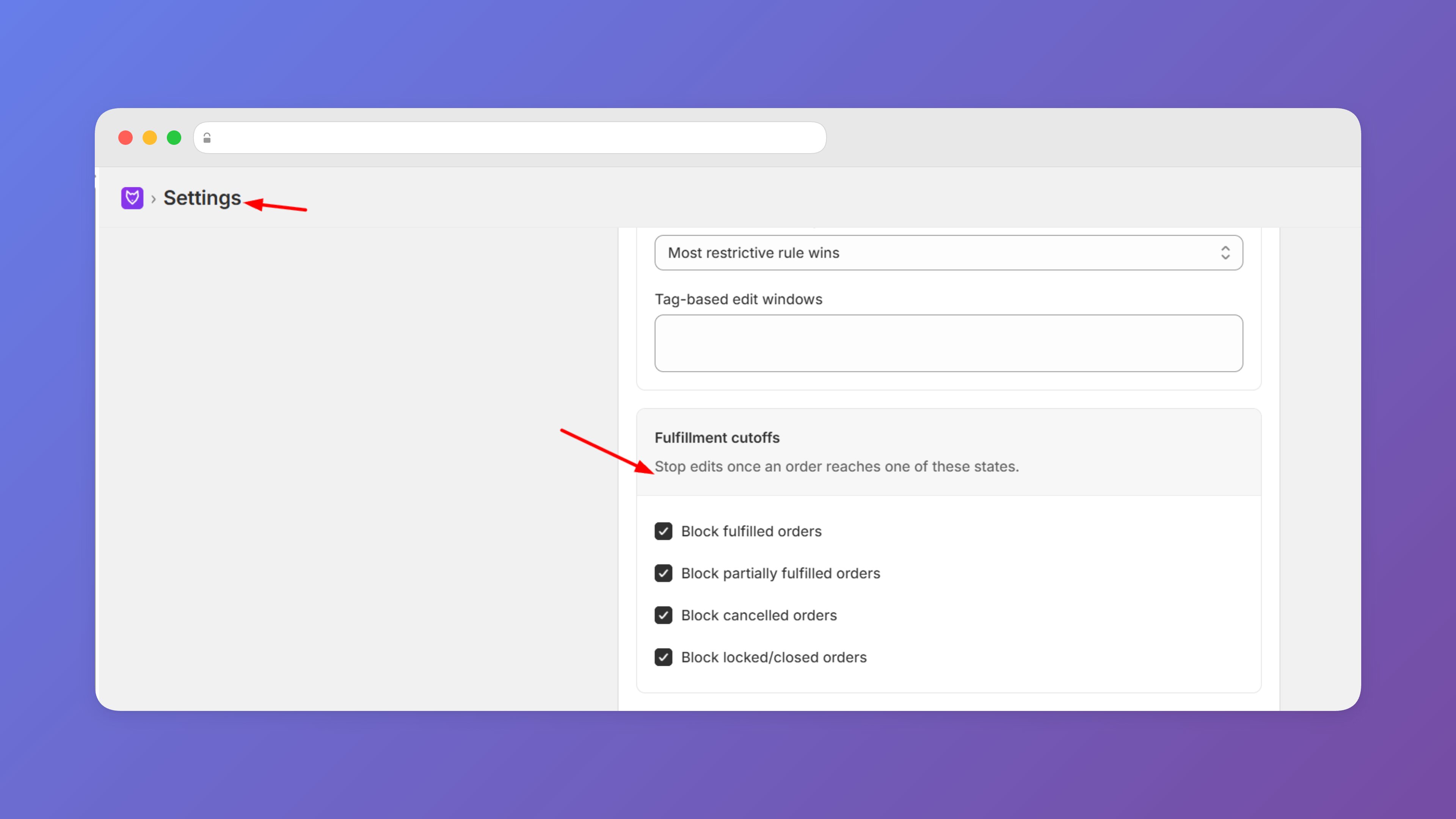
- Fulfillment cutoffs — Once an order ships or reaches the fulfillment cutoff you define, editing closes automatically, regardless of the time window.
- Per-action rules — Enable or disable each edit type independently and configure its behavior without affecting the others.
- Ineligible edits hidden — Any edit type that doesn’t apply to a given order is never shown. Customers cannot request changes that fall outside your rules.
- Approval queue vs auto-apply — For each edit type, choose whether changes apply instantly or wait for your review before taking effect.
Next steps
Edit Types
See what each edit type does, which plans include it, and how payment settlement works.
Edit Windows
Set your time-based edit window and fulfillment cutoffs to protect your warehouse.
Approvals
Configure auto-apply and approval queue settings per edit type, with Slack, Gorgias, and Flow integrations.